Chat with Your .NET Assembly and Generate Working Code
Upload DLL, EXE, or NuGet Package
Drop your managed .NET assembly or select a .nupkg file. The system extracts public API metadata, builds a searchable RAG index, and prepares an AI assistant familiar with your code.
Processing Your File
Processing Complete!
Your files are ready for download.
Found 0 files
Processing Failed
An error occurred during processing.
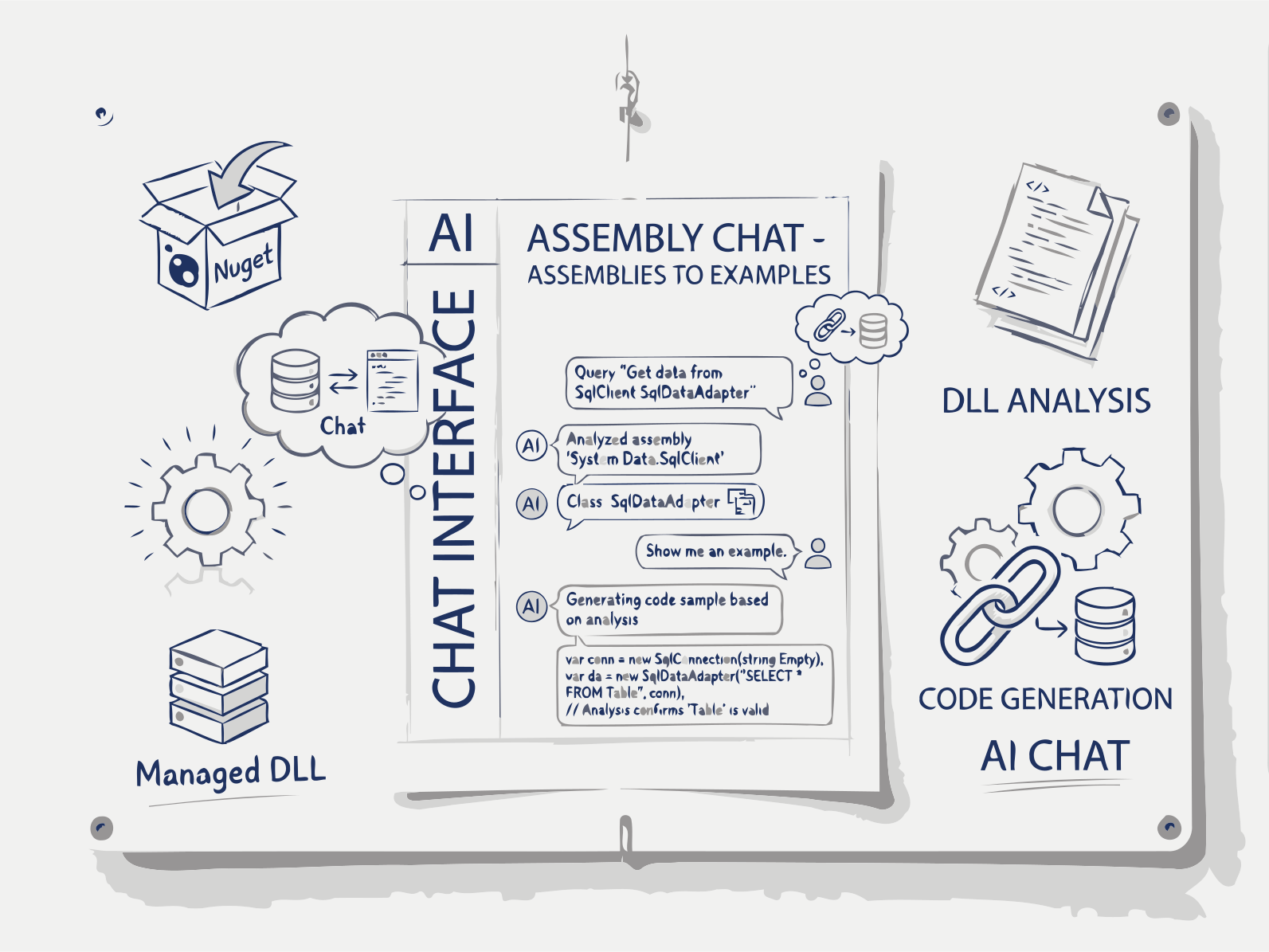
Upload a DLL or NuGet package – AI reads metadata, builds a RAG index, and answers your assembly questions.
Upload a .NET DLL or name a NuGet package and chat with its public API. The AI answers from the real signatures and XML doc comments, writes working C# code samples, draws PlantUML and SVG class diagrams, and compares two package versions to show what changed in the API before you upgrade.
AI Assembly Chat starts with static analysis, not guesswork. When you upload a DLL, EXE, or NuGet package, .NET reflection walks its public surface — namespaces, classes, interfaces, enums, methods, properties, and any XML doc comments attached to them — while internal and private members are excluded. This gives the AI ground truth about your specific assembly version instead of relying on generic training knowledge of the package.
That extracted metadata, along with inferred usage patterns, is embedded and indexed for semantic search (RAG), so a question like "how do I serialize an object with this library" retrieves the actual relevant methods and their real signatures rather than a plausible-sounding guess. This indexing step is what lets answers stay accurate even for internal, uncommon, or recently changed APIs that a general-purpose model would never have seen.
Retrieved signatures and doc comments then ground the AI's response: working C#/F# code samples with correct using statements and async patterns, plain-language explanations of what a type or method does, or on-demand SVG class diagrams and PlantUML sequence diagrams showing how the real API pieces connect. Nothing you upload is stored beyond your session or used to train models.
How Assembly Chat Works
1. Upload Your .NET Assembly
Select a DLL, EXE, or .nupkg file from your local machine or CI pipeline.
2. AI Extracts Public API Metadata
The system reflects over the assembly to map namespaces, classes, interfaces, enums, delegates, methods, properties, fields, and custom attributes.
3. RAG Index for Fast Semantic Search
API signatures, XML comments, and inferred behaviors are vectorized and indexed, enabling instant question answering.
4. Chat, Generate Code & Diagrams
Ask "How do I use X?", "Show me an example of Y", or "Generate a sequence diagram for Z". AI replies with code, explanations, and visual diagrams.
FAQs
AI Assembly Chat and Code Generation from .NET Assemblies
RAG on Your API
Semantic search over public methods, properties, and XML comments. Find what you need faster than MSDN.
Code Samples That Compile
Generated C#/F# code includes necessary using statements, proper async/await patterns, and error handling based on actual signatures.
SVG + PUML Diagrams
Auto-generate public API class diagrams (SVG) and sequence diagrams (PlantUML) for documentation or design reviews.
Free for Open Source & Teams
Free Plan
- Upload assemblies up to 50MB. RAG chat, code generation, and diagrams included.
Premium Plan
- Full access to all Documentize AI applications
- Extended daily processing limits
- Priority processing and free support
Premium Plan
- Full access to Documentize applications
- More advanced tools and features
- Extended file processing limits
- Free support